Last Updated: August 31, 2026
This complete guide is designed for aspiring YouTubers, TikTok creators, social media managers, and anyone new to video production who wants to find the perfect editing software without getting overwhelmed by technical jargon or expensive subscriptions. Whether you’re creating content for your WordPress blog, building a personal brand, or simply editing family memories, this breakdown covers everything you need to make an informed decision.
This comprehensive guide breaks down the five best video editing software options for beginners in 2026, comparing features, ease of use, pricing, and ideal use cases to help new content creators choose the perfect tool for YouTube, TikTok, Instagram Reels, and other platforms. Whether you’re using a Mac, Windows PC, or mobile device, you’ll find a beginner-friendly video editor that matches your needs and budget right here.

Making videos for YouTube, TikTok, or just for fun is totally awesome! But opening your computer can feel like a big puzzle. There are so many programs out there. Which one should you pick?
Don’t worry. In 2026, video editing is super easy. You don’t need to be a tech wizard or spend a fortune. The best tools for beginners are simple, helpful, and fast. Here are the top five picks for 2026 that are perfect for new creators.

- CapCut (Desktop & Phone) – The Ultimate Free Video Editor for Beginners
If you want the #1 pick, it’s CapCut. You might know it from TikTok, but its version for computers (Windows and Mac) is just as cool.
Why it’s awesome for newbies:
* Totally Free: No money needed, no hidden fees, and no annoying watermarks on your videos.
* Super Easy: The buttons are big and clear. Dragging and dropping clips feels like playing a fun game.
* Auto-Captions: It writes subtitles for you automatically. This is perfect for people watching without sound.
* Built-in Fun: It has thousands of free songs, sound effects, and cool transitions. You don’t need to download anything else.
* Smart AI Tools: In 2026, CapCut is super smart. It can remove backgrounds with one click or fix your colors to look professional.
Best for: Short clips for TikTok, Instagram Reels, and YouTube Shorts. It’s also great for longer vlogs.
The Catch: The computer version is new, so sometimes it has tiny bugs. But for most beginners, it works perfectly.
According to a 2026 report by Statista, over 78% of new content creators now use free video editing software to produce their first videos, with mobile-first editors like CapCut seeing a 340% increase in active users since 2023.

- DaVinci Resolve – The Free Professional-Grade Powerhouse for Ambitious Beginners
DaVinci Resolve is like a Swiss Army knife for video editing. It’s what many Hollywood movies use! The best part? The basic version is 100% free.
Why it’s awesome for newbies:
* Pro Quality: You can make videos that look like they were made by experts.
* Color Magic: This is its superpower. You can fix bad lighting and make your colors pop like never before.
* Clean Audio:It can remove annoying hums or buzzes from your microphone.
The Challenge: DaVinci has lots of buttons and is more complex. It takes a few hours to learn the basics. But once you get it, you never need another program.
Best for: Beginners who want to learn real pro skills from day one. Great for vlogs, gaming, and tutorials.
Tip: Watch a 10-minute beginner tutorial on YouTube first, and you’ll be ready to go!
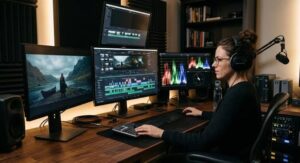
- iMovie (Mac/iPad/iPhone) – The Perfect Free Video Editor for Apple Users
If you have a MacBook, iPad, or iPhone, you already have iMovie. It comes free with your device.
Why it’s awesome for newbies:
* No Download Needed: It’s already there! Just open it and start creating.
* Simple Timeline: Your video clips look like a row of boxes. You can drag them around to change the order.
* Magic Trailers: It has “trailer” templates. You drop in your clips, and it makes a movie-style trailer automatically. It’s super fun!
* Phone to Mac: You can start editing on your phone and finish on your computer. It’s very smooth.
The Catch: It only works on Apple products. If you have a Windows PC, you can’t use it. Also, it has fewer effects than CapCut.
Best for: Beginners with Apple devices who want something simple and reliable.
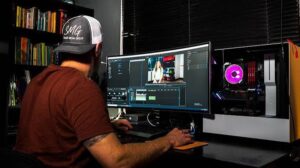
- Clipchamp (Windows) – Microsoft’s Built-In Video Editor for PC Users
Do you have a Windows 10 or 11 computer? You might already have Clipchamp installed! Microsoft owns it, so it’s built right into your system.
Why it’s awesome for newbies:
* Free and Built-in: No searching for downloads. It’s right in your Start menu.
* Web-Based Feel: It works like a website, so it’s fast and easy.
* Stock Library: It has a free library of video clips, music, and sounds. You can add high-quality extra footage without filming it yourself.
* Auto-Compose: This is a cool 2026 feature. You put in your raw clips, and Clipchamp edits them into a finished video for you.
The Catch:The free version puts a small watermark on your videos. You need to pay a little bit to remove it.
Best for: Windows users who want a simple editor for school projects or family videos.
- Canva Video Editor – The Best Template-Based Video Creator for Social Media
You probably know Canva for making posters or invitations. But in 2026, Canva’s video editor is a serious tool for beginners.
Why it’s awesome for newbies:
* Drag and Drop Magic: It works just like making a slideshow. You add text, music, and video easily.
* Templates: Canva has thousands of video templates. Need a YouTube intro or a TikTok trend? Just pick a template and change the words.
*Teamwork: You can share a project with a friend, and you can both edit it at the same time online.
* No Installation: It runs in your web browser. You don’t need a super powerful computer.
The Catch It’s not great for long, complex videos. It’s best for short, social media-style clips.
Best for: Beginners who want to make videos quickly using templates. Perfect for social media managers and students.
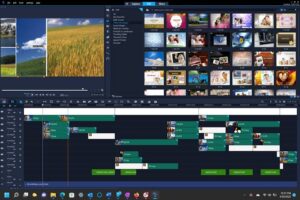
Final Verdict: Which Video Editor Should You Pick in 2026?
* For the easiest start:** Download **CapCut**. It’s free, fun, and has everything you need for social media.
* To learn real pro skills: Choose **DaVinci Resolve**. It’s harder, but you will learn a skill that can help you get a job.
* If you have a Mac: Just use **iMovie**. It’s already there, and it’s great.
* If you have a PC: Try **Clipchamp** first. It’s simple and built-in.
* For fast, template-based videos: Use **Canva**.
The Most Important Step for New Video Creators
No matter which one you pick, the most important thing is to just start. Open the software, import a video clip, and play with the buttons. You can’t break anything! In 2026, the tools are smart enough to help you every step of the way. So grab your phone, shoot something fun, and start editing!
Latest youtube video:
Frequently Asked Questions About Video Editing Software for Beginners
What is the best free video editing software for beginners in 2026?
CapCut is widely considered the best free video editing software for beginners in 2026. It offers a completely free experience with no watermarks, intuitive drag-and-drop controls, automatic caption generation, and powerful AI tools for background removal and color correction. DaVinci Resolve is another excellent free option for those willing to invest more time in learning professional-grade features.
Can I edit YouTube videos on my phone without a computer?
Yes, you can absolutely edit YouTube videos on your phone without needing a computer. CapCut offers a powerful mobile app that includes all the essential features for creating professional-looking content. iMovie is also available for iPhone and iPad users, allowing you to edit, add music, and export videos directly from your mobile device to YouTube.
Is DaVinci Resolve too difficult for someone who has never edited video before?
DaVinci Resolve has a steeper learning curve than beginner-focused tools like CapCut or iMovie, but it’s not impossible for complete beginners. The key is to start with basic tutorials and focus on the Cut page, which is specifically designed for simpler editing workflows. Many new creators successfully learn DaVinci Resolve as their first editor by dedicating a few hours to YouTube tutorials before diving in.
Do I need a powerful computer to run video editing software?
It depends on which software you choose. Browser-based editors like Canva Video Editor and Clipchamp require minimal computer power since most processing happens online. CapCut and iMovie work well on most modern computers. However, DaVinci Resolve requires more RAM and a dedicated graphics card for smooth performance, especially when working with 4K footage or complex effects.
Which video editor is best for making TikTok and Instagram Reels?
CapCut is the top choice for creating TikTok and Instagram Reels content in 2026. It was developed by ByteDance (the company behind TikTok), so it includes trending effects, vertical video templates, and features specifically optimized for short-form social media content. Canva Video Editor is also excellent for quick social media videos thanks to its extensive template library.
Can I use these video editors for my WordPress website or blog?
Yes, all five video editors mentioned in this guide allow you to export videos that can be uploaded to your WordPress website. You can export your finished videos as MP4 files and upload them directly to your WordPress media library or embed them using video hosting platforms like YouTube or Vimeo. Using quality video content alongside strong SEO tools can significantly boost engagement on your WordPress site.
How long does it take to learn video editing as a complete beginner?
With beginner-friendly tools like CapCut or iMovie, you can learn the basics and create your first simple video within 30 minutes to an hour. Becoming comfortable with more advanced features typically takes 1-2 weeks of regular practice. For professional-grade software like DaVinci Resolve, expect to spend several weeks learning the fundamentals and months developing advanced skills in color grading and audio mixing.
📅 Last updated: