Last Updated: September 14, 2026
This comprehensive guide to recording professional-quality audio for video is designed for content creators, YouTubers, podcasters, and anyone who wants their videos to sound polished and engaging. Whether you’re filming tutorials, vlogs, interviews, or creative content, mastering these five foundational audio techniques will transform your productions from amateur to professional-sounding—without breaking the bank or requiring a studio setup.

Imagine this: you’ve just filmed the most epic video ever. Your lighting is perfect, your shots are smooth, and your cat did that adorable thing where it sneezes and falls off the couch. You upload it, hit “publish,” and wait for the likes to roll in. But then, a comment pops up: “Can’t hear anything. Sounds like you’re talking through a sock.”
Ouch. Audio fail.
Here’s the secret that pro video makers know: **audio is everything**. People might forgive a blurry video, but they will *never* forgive bad sound. In fact, studies show that viewers will stop watching a video in under 10 seconds if the audio is poor. That’s faster than it takes to microwave a Hot Pocket.
But don’t worry—you don’t need a Hollywood studio or a thousand-dollar microphone. With these five simple tricks, you can record crystal-clear sound that makes your videos sound like a million bucks. Ready? Let’s dive in.
According to a 2023 study by Wistia, videos with poor audio quality experience a 25% higher abandonment rate within the first 30 seconds compared to videos with clear sound, confirming that audio quality directly impacts viewer retention and engagement.
-
Get Up Close and Personal: Optimal Microphone Distance for Clear Voice Recording
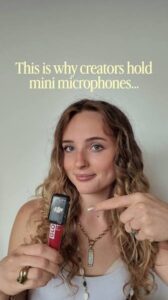
Your microphone is like a shy friend at a party. If you stand too far away, it can’t hear you clearly. The golden rule? **Keep your mouth 6 to 12 inches from the mic**. That’s about the length of a standard ruler or a large slice of pizza.
But don’t eat the mic, either. If you’re too close, your voice will sound boomy and muffled, like you’re talking from inside a cardboard box. Find that sweet spot where your voice sounds natural and clear. A good test? Record a quick sentence and play it back. If it sounds like you’re in the same room, you’ve nailed it.
-
How to Kill Background Noise Ninjas and Protect Your Audio Quality
Ever tried to record a video with the air conditioner running, a fan spinning, or a refrigerator humming? It sounds like a low-budget horror movie. Those noises are sneaky ninjas that attack your audio.
Here’s a trick: **press record and just listen for 10 seconds**. What do you hear? A buzzing light? A distant lawnmower? A dog barking at a squirrel? If you can hear it, your microphone can hear it too.
Turn off anything that makes noise. Close the windows. Unplug the fridge if you must (just don’t forget to plug it back in). If you can’t silence the world, move to a quieter room. A closet full of clothes is actually a great place to record—the clothes absorb echo and kill background noise like a boss.
-
How to Tame the “Echo Monster” and Eliminate Room Reverb in Your Recordings
Big, empty rooms are the enemies of good audio. Sound bounces off hard walls like a ping-pong ball, creating an echo that makes you sound like you’re recording in a cave. This is called “reverb,” and it’s the number one reason amateur videos sound hollow.
To fix this, **make your room “dead.”** That doesn’t mean you need to kill anything. It means you need soft surfaces to absorb sound. Hang a blanket on the wall behind you. Put a rug on the floor. Sit on a couch instead of a hard chair. If you’re desperate, throw a pillow at the wall (just aim carefully). The goal is to trap the echo before it ruins your audio.
-
How to Use the Right Mic for the Job: Choosing Your Audio Equipment Wisely
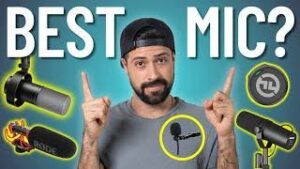
Your phone’s built-in microphone is fine for quick selfies, but for serious video, it’s like trying to paint a masterpiece with a toothbrush. Invest in a simple external microphone. You don’t need to spend hundreds of dollars.
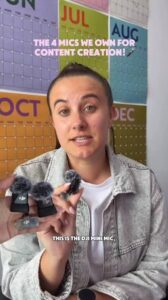
– Lavalier mic (lapel mic): Clips to your shirt. It’s tiny, cheap, and perfect for talking-head videos. It picks up your voice and ignores everything else.
– Shotgun mic: Looks like a tiny wand. It points at your subject and rejects noise from the sides. Great for interviews or outdoor videos.
-USB condenser mic: Sits on your desk. Ideal for voiceovers or gaming videos.
Any of these will instantly make your audio 10 times clearer. And the best part? You can find decent ones for under $30.
-
Why You Should Always Do a “Two-Second Test” Before Every Recording Session
You’ve set everything up. You’re ready to go. But before you hit that record button, **do a quick test**. Record 10 seconds of yourself talking, then play it back. Listen for problems: Is your voice too quiet? Is there a weird buzz? Does it sound like you’re underwater?
This simple test saves you hours of frustration. It’s like checking the oil in your car before a road trip. You don’t want to drive 100 miles and realize your engine is toast. Same with audio—fix the problem *before* you record, not after.
The Bottom Line: Achieving Professional Audio Quality on Any Budget
Great audio doesn’t happen by accident. It happens when you get close to the mic, kill background noise, tame echoes, use the right gear, and test before you start. These tricks are simple, cheap, and they work.
Here is today’s video I created.
Frequently Asked Questions About Recording Clear Audio for Videos
What is the best microphone for beginners recording video content?
For beginners, a lavalier (lapel) microphone is often the best choice because it’s affordable, easy to use, and clips directly to your clothing for consistent audio quality. USB condenser microphones are also excellent for desk-based recording like voiceovers or gaming videos. Both options can be found for under $30 and will dramatically improve your sound compared to built-in device microphones.
How far should I position my microphone from my mouth for optimal sound quality?
The ideal distance between your mouth and the microphone is 6 to 12 inches—approximately the length of a standard ruler. This distance allows your voice to be captured clearly without picking up excessive breath sounds or creating a boomy, muffled effect. Always do a quick test recording to find the sweet spot for your specific microphone and voice.
Why does my recorded audio have an echo or hollow sound?
Echo and hollow-sounding audio are caused by sound waves bouncing off hard surfaces in your recording environment, creating reverb. To fix this, add soft surfaces to your room such as blankets, rugs, curtains, or acoustic panels to absorb sound reflections. Recording in a smaller, furnished space or even a closet full of clothes can significantly reduce unwanted echo.
Can I record professional-quality audio with my smartphone?
While smartphone microphones have improved significantly, they still capture environmental noise and lack the clarity of dedicated external microphones. However, you can achieve much better results by connecting an inexpensive external microphone to your smartphone, recording in a quiet environment, and following proper microphone positioning techniques. This combination can produce surprisingly professional results on a budget.
How do I eliminate background noise from my video recordings?
Start by pressing record and listening silently for 10 seconds to identify all noise sources in your environment. Turn off air conditioners, fans, refrigerators, and any other appliances that produce sound. Close windows to block external noise, and consider recording in an interior room away from street sounds. If complete silence isn’t possible, post-production noise reduction tools can help clean up minor background noise.
What is the most important audio tip for new video creators?
The most crucial habit for new video creators is performing a test recording before every session. Record 10 seconds of audio, play it back, and listen critically for issues like low volume, buzzing, echo, or background noise. This simple two-second test catches problems before you record your entire video, saving hours of frustration and preventing unusable footage.
Do I need expensive equipment to record crystal-clear audio for my videos?
Absolutely not—professional-sounding audio is achievable on a modest budget with the right techniques. A basic external microphone costing $20-$50, combined with proper mic placement, a quiet recording environment, and echo-reducing soft surfaces, can produce excellent results. Technique and environment matter far more than expensive gear, especially for content creators just starting out.
📅 Last updated: